Document Management
Lab reports and X-rays attached to the visit — found in seconds, not folders.
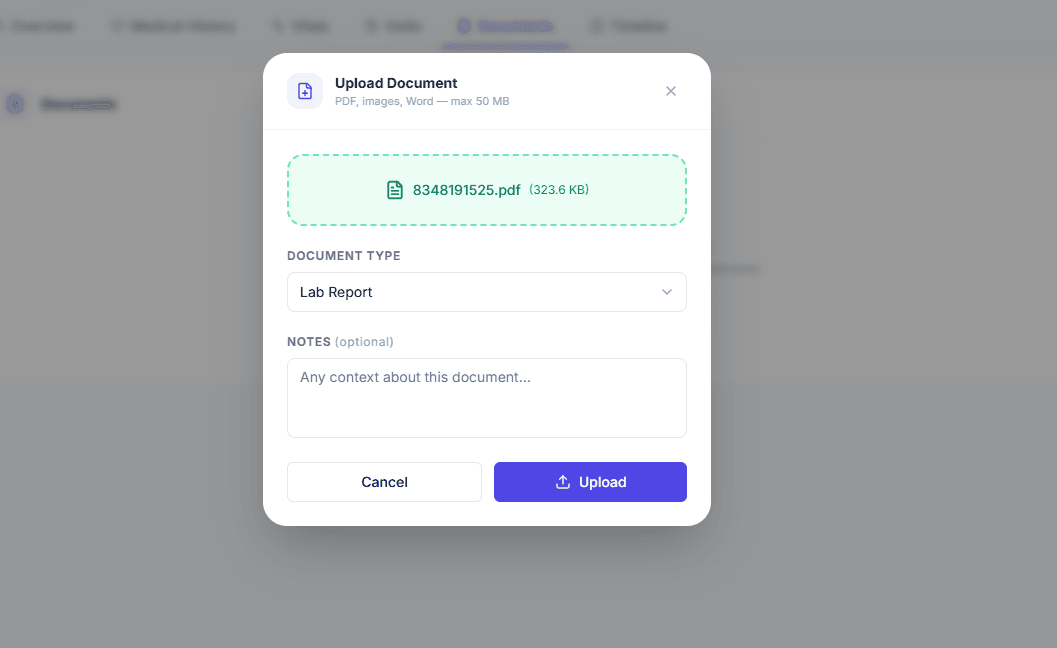
Attach lab reports, X-rays, and referrals to a patient visit with secure, time-limited signed-link access. 5 GB of storage per clinic on the Professional plan — no public links, ever.
 Sample data
Lab reports, X-rays, and referrals get scanned (if you're lucky), emailed to someone, or filed in a physical folder. No one can find them when the doctor asks.
How it works
Attach to the visit
Upload lab reports, X-rays, prescriptions, and referrals and link them to the specific visit they belong to.
Find by type
Tag documents by type and filter to the one you need without scrolling through a pile.
Secure by default
Files are served via short-lived signed links (5-minute expiry). No public URL is ever generated.
Timeline context
Documents appear on the patient timeline so the doctor sees them in the context of the visit.
What's included
Document management and 5 GB of storage are included on the Professional plan.
Who it's for
Receptionists
File a report the moment a patient hands it over.
Doctors
Pull up the X-ray during the consultation without leaving the record.
Frequently asked questions
The Professional plan includes 5 GB of shared storage per clinic, with a 50 MB maximum size per file.
See it in action.
Document Management is live and ready. Your first 30 days are completely free — no credit card required.