Follow-up Tracking
Stop saying 'come back in two weeks' and never hearing from them again.
Schedule follow-ups from any consultation, see overdue items clinic-wide, and close them in one click. Follow-ups appear on the dashboard and the patient timeline so nothing slips.
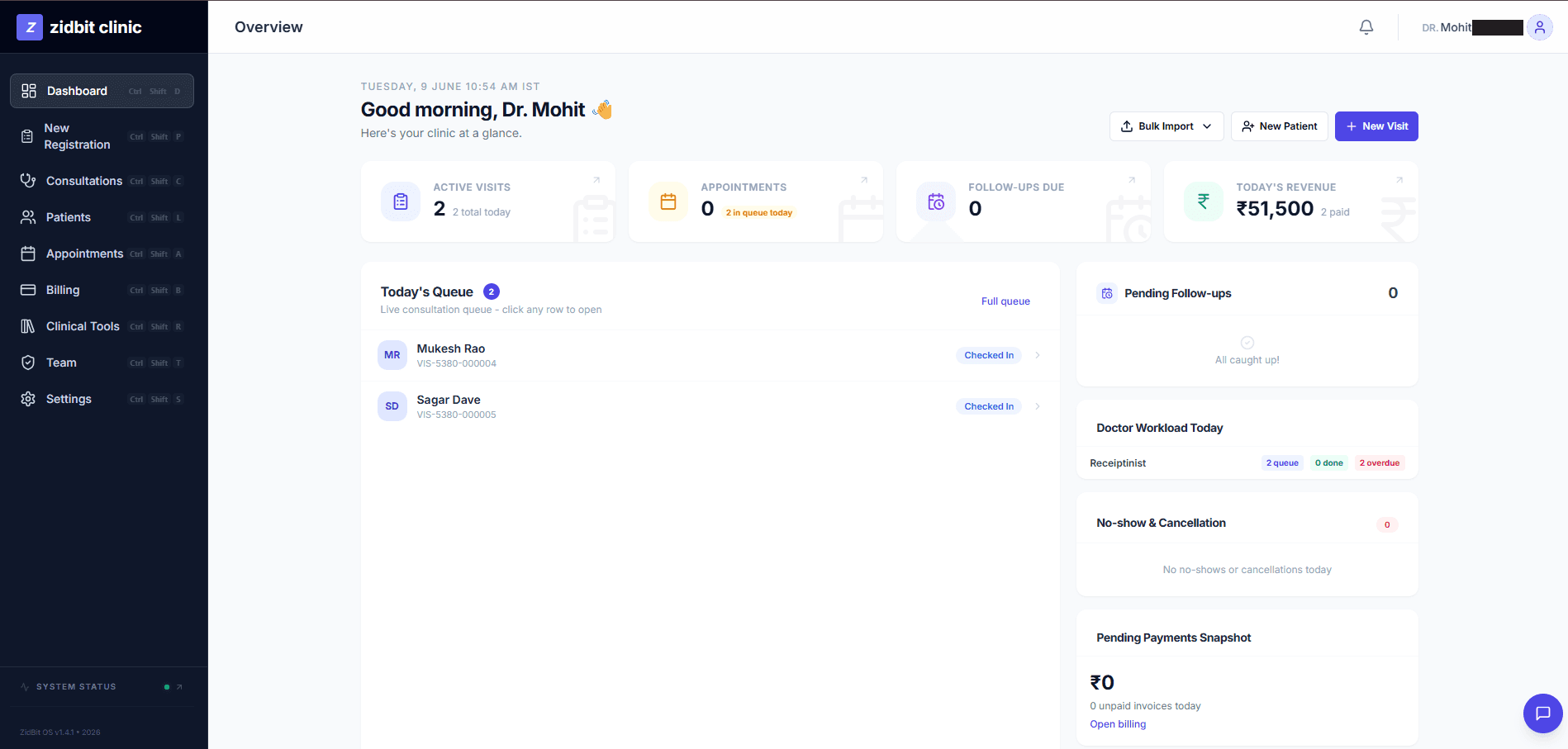 Sample data
There's no system to track whether a patient followed up. They get lost, conditions worsen, and the clinic only finds out when the patient returns in a worse state.
How it works
Schedule from the consultation
Create a follow-up task directly from any consultation with a due date, reason, and assigned doctor.
See what is due and overdue
The dashboard widget shows follow-ups due today or overdue, highlighted clinic-wide so nothing is missed.
Close it in one click
Mark a follow-up complete from the widget, or cancel it if it is no longer needed.
On the patient timeline
Every follow-up appears on the patient timeline, giving full context for the next visit.
What's included
Who it's for
Doctors
Make sure patients who need to return actually do.
Admins
Track pending follow-ups across the whole clinic.
Frequently asked questions
You can create a follow-up directly from any consultation, setting a due date, a reason, and the assigned doctor. It then appears on the dashboard and the patient timeline.
See it in action.
Follow-up Tracking is live and ready. Your first 30 days are completely free — no credit card required.